Get Marketing Insights First
Subscribe to receive actionable strategies, growth tips, and industry insights delivered straight to your inbox.


Everything you need to know about abandoned carts — why customers leave, how to reduce the abandonment rate, and how to recover lost sales with well-timed emails, retargeting ads, and the tools built into platforms like Salla and Zid.
Imagine you’re at the supermarket and you see someone shopping, filling their cart with items, but then setting it aside and leaving without buying anything. This scenario may seem rare in real life, but in the world of online stores, roughly 70% of online shopping carts are left by their owners without completing the purchase.
So what drives users to leave their online shopping carts without completing the process? Are there aspects that can be improved to reduce this? And can these lost sales be recovered and users prompted to return to the online store and buy the contents of their carts? That’s what we’ll talk about in this article.
Cart abandonment is when a user starts an order, adds products to the virtual cart in an online store, and then leaves without completing the purchase. This can happen because the user isn’t ready to buy, or is comparing product prices among competitors, or for other reasons that might make the user change their mind.
The abandoned cart rate is calculated by dividing the number of incomplete purchases by the number of purchase orders users started, according to the following formula:
Abandoned Cart Rate% = (Number of Incomplete Purchases / Total Number of Purchase Orders) * 100
This rate is one of the sensitive metrics in e-commerce, because its rise may indicate a weakness in the user experience or difficulty for the user in completing the store’s purchase procedures — which is why online-store owners give this metric considerable attention.
No matter how much we refine every aspect of the user experience in an online store, there will be customers who abandon their shopping carts — that’s normal. Not everyone is serious in their desire to buy right away. But there are many other factors that may be a reason for it, of which we mention:
These costs include shipping cost, taxes, and others. When the user reaches the last stage of the purchase and sees the final receipt, they may be surprised by the size of the additional costs added on top of the product’s base price — this is one of the most important reasons users abandon their shopping carts.
Many users care about their privacy on the internet, so they don’t feel comfortable providing their bank card information at any online store if they don’t trust it. This trust is built by building a strong brand, showing social trust testimonials, offering refund guarantees if the customer isn’t satisfied, and other factors that reduce customer anxiety and build their trust in the store.
Stores that ask for a lot of information from the customer at purchase — such as name, address, and date of birth — in order to gather information about their audience, may be causing customers to bounce off to competitors. The purchase process should be as short and easy as possible. Assistive tools can also be used, such as Shopify’s Shop Pay, which saves the customer’s personal information so they don’t need to enter it every time.
Every user has their preferred method of digital payment, and the absence of that method from the options may cause them to abandon the shopping cart. That’s why stores should provide as many popular payment options as possible, such as Vodafone Pay, Mada, PayPal, and others.
As we mentioned earlier, a long purchase process is a primary cause of user frustration and abandonment of the shopping cart. The same applies if the store asks the user to create an account and enter their personal information — so the store should provide a guest checkout option, so the user can complete the process easily, especially for customers using the store for the first time.
Delivery is a critical point when shopping online. If the user finds that the product they want will take a long time to arrive, they’re more likely to abandon the cart and look for their order at a competitor. That’s why the logistical side of the process must be cared for when running an online store.
Programming errors and technical problems may hinder the user in completing the purchase, so a periodic check and maintenance of the online store must be conducted to make sure the purchase flow is free of any problems or long loading times.
This centers on providing the best possible user experience for the customer throughout the purchase process, and providing every option and guarantee that removes their doubts and pushes them to complete the process. Among the methods that can be followed to achieve this:
There are now many digital payment options that make the purchase process easier for the user and don’t require entering their information every time they want to buy from a new store.
Among the most popular options:
Providing as many of these options as possible increases the likelihood of finding the user’s preferred payment method and lowers the cart abandonment rate.
High shipping prices are among the most shocking things for the user in the last stages of the purchase, making them leave the cart. Offering free shipping on products and displaying that on the final receipt plays a big role in encouraging the customer and playing on the psychological side.
If it’s hard to cover the full shipping costs, there are other solutions such as offering discounts on these costs, or including the shipping cost in the product’s price itself.
E-commerce differs from physical shopping in that the user can’t touch and examine the product before buying it, and this point becomes a source of hesitation for some if there isn’t a return option in case the product isn’t what the customer expected — which becomes a reason for abandoning the cart.
Providing a return option for the product and a full refund of the paid amount (the refund window is on average about 30 days) and displaying that clearly during the purchase reduces the customer’s fears and encourages them to complete the process.
This lets the user avoid the need to create an account and save the time spent entering personal information. All that’s needed is bank card information for payment and email to receive updates about product delivery.
It’s essential for the consumer to know all the costs that will result from the purchase before they finish the process — this includes shipping prices, taxes, and any customs that may be added if the consumer is ordering from another country. These costs vary based on the consumer’s geographic location, so these prices must update on the product page itself when the user enters their address.
If the customer used a discount code or took advantage of a sale season, it’s useful to show the amount that was discounted from the base price. This simple practice plays an important psychological role in encouraging the customer and making them feel they’re getting a deal they can’t miss.
The user must be able to move between the store and the cart with the press of a button. That way, if they want to go to the store and add more products to the cart, or return to the product page to double-check the options and features it offers them, this operation is as short as possible.
Customer testimonials build the user’s trust in the online store. These testimonials include ratings and reviews from previous customers; displaying them on product pages, along with the sales volume achieved, has a significant impact on users.
Among the factors that cause users to bounce off the online store’s pages and abandon the shopping cart are long loading times. So attention must go to the technical side of the store, providing high page-load speed to preserve a suitable conversion rate.
This simple practice helps deliver a better customer experience — it shows the user the number of steps remaining in the purchase and the progress they’ve made — thereby reducing the likelihood of abandoning the shopping cart.
Even with all the practices that lower the cart abandonment rate applied, there will be consumers who abandon their carts for any reason. But that doesn’t have to be the end — there are several methods that can be followed to recover part of these lost sales.
These are messages sent to a user who abandoned the shopping cart, to prompt them to return and complete the process. They’re sent using tools automatically if the user added products to the online shopping cart and left the store during any stage of the process without completing it.
Timing in these messages is the secret to their success. The first few hours are the most important because they capture the user’s interest before they forget what they were doing at the store. This doesn’t have to be limited to a single message; it’s better to send several messages at a considered, suitable cadence — usually along these lines:
These messages must capture the user’s interest, and their purpose must be clear and easy to understand. To this end, there are several practices that can be followed — chief among them:
The message subject line is the first thing the user will see. It must grab their interest enough to make them open the message, and it should be an appropriate length so it displays fully — especially for smartphone users, so it’s preferable not to exceed 50 characters.
It’s also useful to add a personal touch to the subject line by including the user’s name, and to steer clear of the deceptive subject lines users have grown used to in spam messages. It’s fine to add a touch of humor to the subject line, offer a promotional deal (20% off all your purchases), or create a sense of urgency (only two left in the warehouse).
Users love messages that speak to them personally, not ready-made templates sent automatically to everyone — so it’s better to mention the user’s name and the products they left in the cart, and to offer a promotional deal that matches their purchase history and preferences at the store, prompting them to return and complete the purchase.
The user may have forgotten the items they wanted to buy, or forgotten what they originally wanted from the store — so it’s preferable to mention the products left in the cart, with their images and prices (before and after discount if any).
The best speech is short and to the point. The message text should be clear and concise — short sentences or a bullet list — where these points make clear to the reader the message’s purpose, the value they can gain, and the pain points that can be addressed. And the text should mirror the company’s usual tone of voice to preserve a unified, professional brand image.
As I explained in previous paragraphs, it’s always better to make the path in front of the user as short as possible. In this case, a call-to-action button should be placed at the foot of the message, so tapping it returns the user to the store to complete the purchase from where they left off.
The button text should make the value of this action clear to the user. For example, if the message carries a discount coupon, the button text would be (Claim your 15% off). And finally, the button’s design should be suitable for smartphones and easy to read and tap.
Users who left products in their shopping carts can be retargeted using ads on other channels. This is done by employing a tag in the online store that gathers information about the user, including their social media accounts and others.
Facebook is one of the most prominent platforms that facilitates retargeting. It uses the information the store gathers about the user and the products of interest to them that they had left in the store’s cart, and then targets them on Facebook with ads carrying offers on these products — giving the user the push they need to return to the store and complete what they started. The advantage of this method is the ability to target users who never gave the store their email addresses.
The Salla platform provides an excellent interface for managing abandoned carts. You can access it from the side menu of the control panel by pressing (Marketing Tools) then (Abandoned Carts).
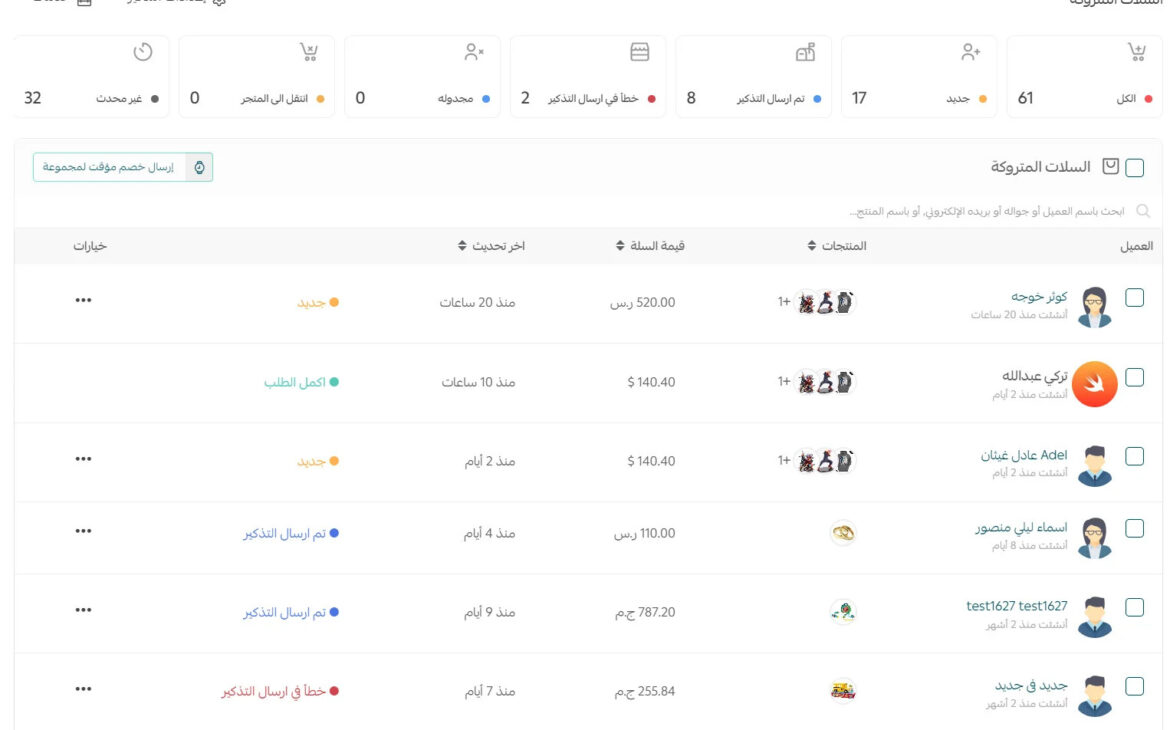
The abandoned carts page contains the following sections:
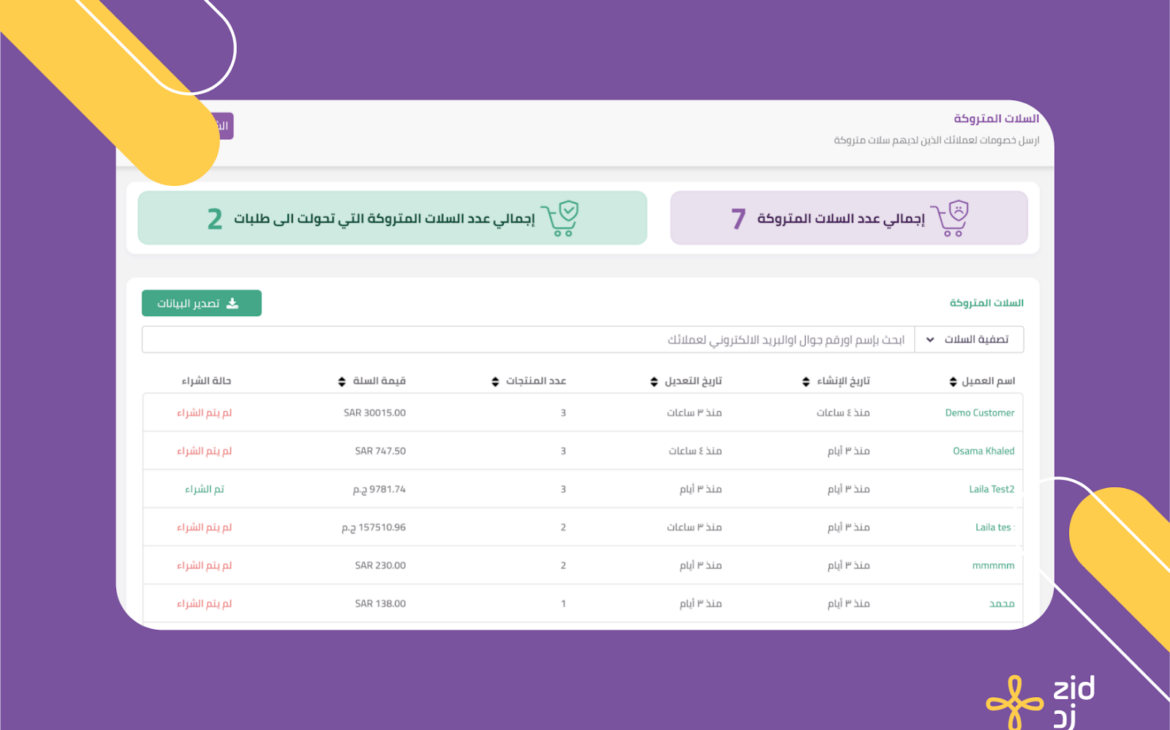
Similar to the Salla platform, Zid provides an abandoned-carts interface that includes the customer’s name, cart creation date, edit date, number of products and their value, and purchase status. The advantage of this platform is the ability to link it to a smartphone app to send emails automatically and win customers back to the store.